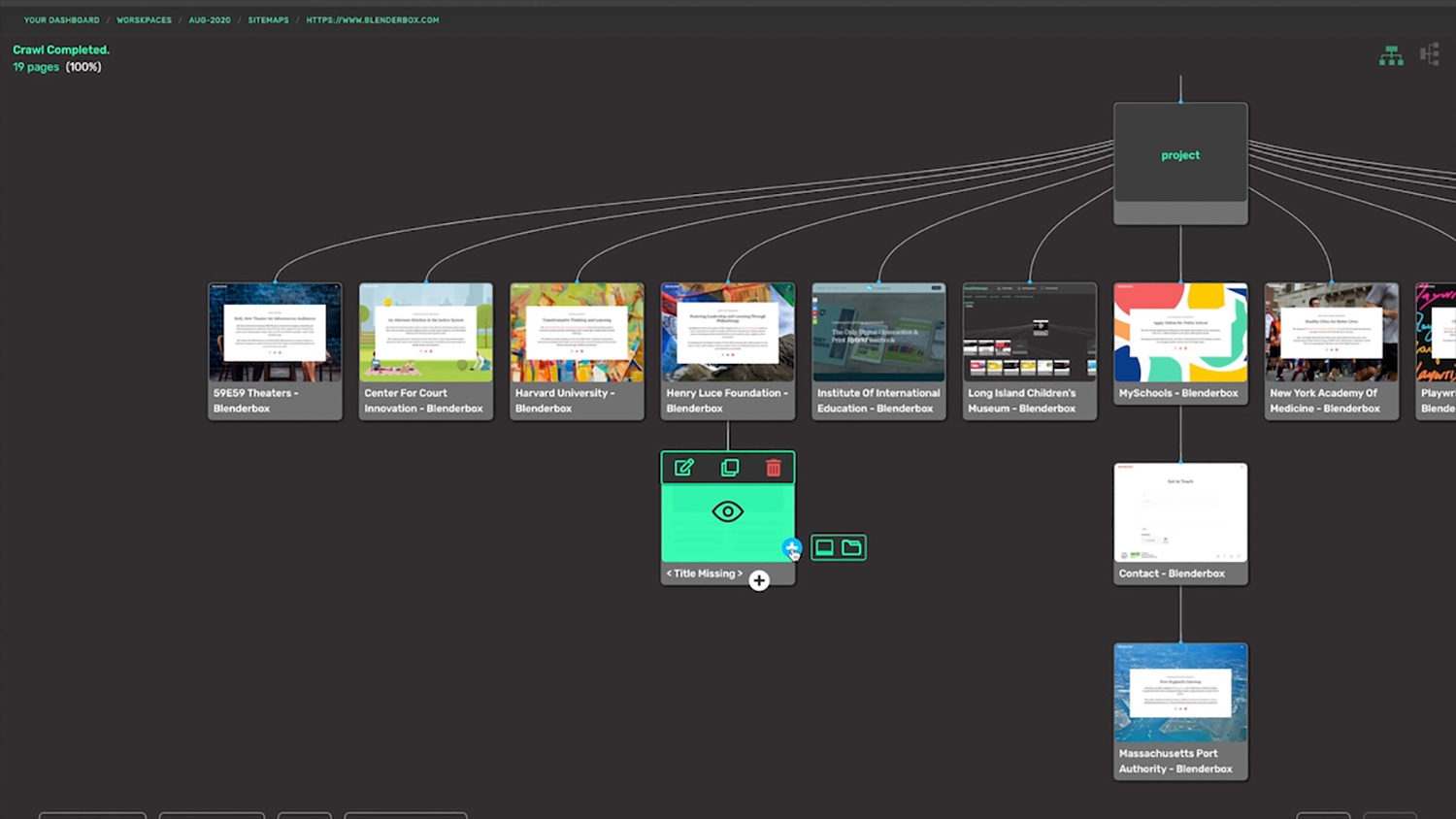
I have been building and hosting websites for over twenty years, and for the last several of those I have run a website review service. When a new client hands me a site, before I open a single page or ask a single question, I do one thing: I run the whole domain through VisualSitemaps. Within a few minutes I have a visual map of every page, a screenshot of each one, and a working sense of how big the job actually is. VisualSitemaps has quietly become the most-used tool in my kit, so I figured it was time I wrote down why.
I bought VisualSitemaps back when it first launched in 2021, and I found it indispensable to my workflow almost immediately. Since then it has only gotten better: more filters, more polish, and two headline additions, VisualFlows and AI-Optimized Maps. This is not a first-impression review. This is what I think after years of daily use across dozens of client projects.
Plenty of sitemap generators exist. Most give you a tree of labeled boxes and call it a day. What keeps VisualSitemaps winning the job for me is a handful of capabilities that are easy to miss until you have lived with the tool for a while. Those are the parts I want to walk through here.
Table of contents
- What VisualSitemaps Actually Does
- The Differentiators Most People Miss
- The Newer AI Layer
- Why It Makes Me Look Good In Front Of Clients
- Some Caveats
- Who Should Use VisualSitemaps
- My Verdict
What VisualSitemaps Actually Does
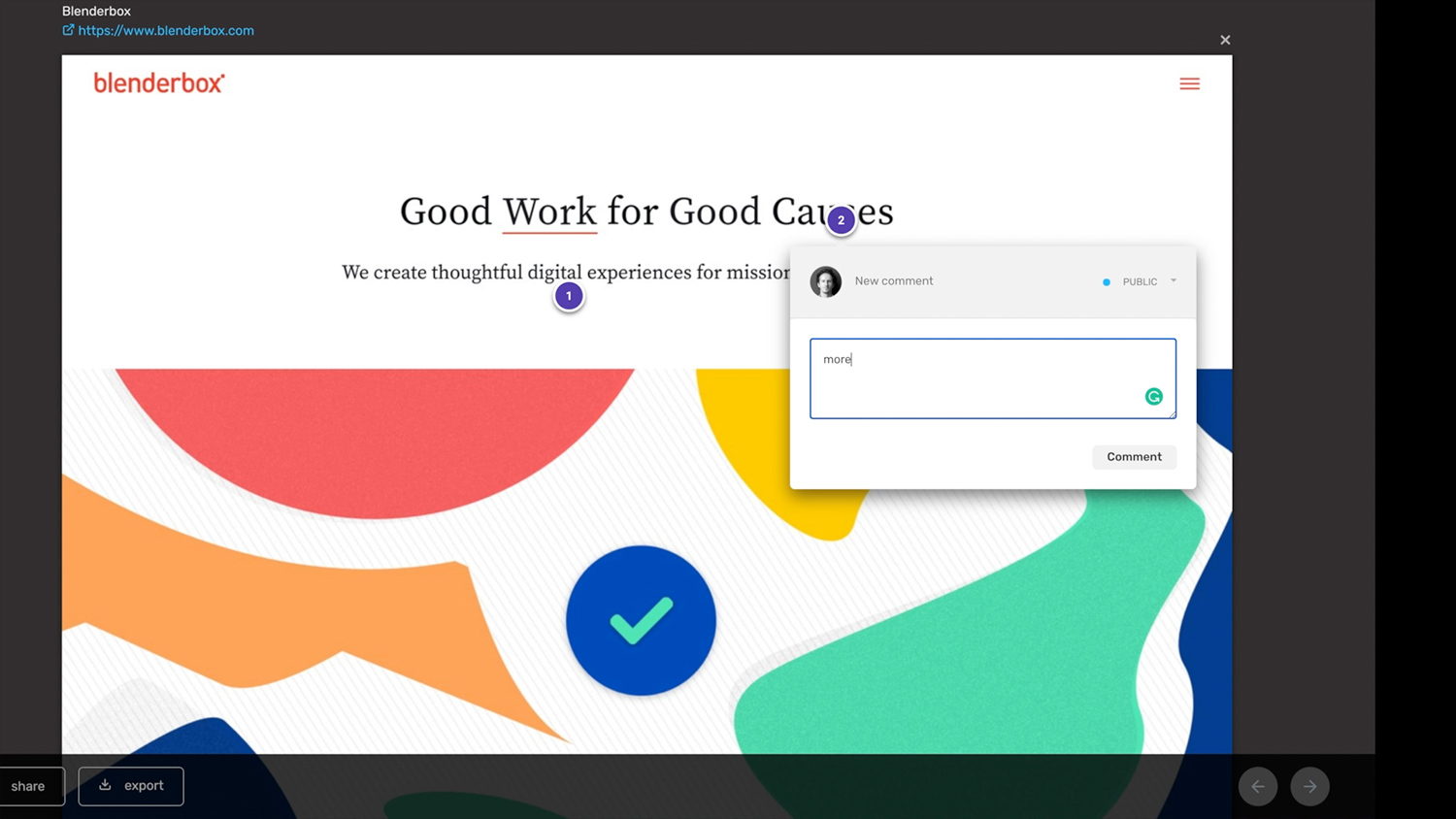
At its core, you type in a URL and VisualSitemaps crawls the site, takes a full snapshot of every page, and lays the whole thing out as a beautiful, navigable sitemap. You can control the crawl depth and page count, schedule recurring crawls, filter by directory or keyword, and export the result as PDF, CSV, JSON, or XML. You can move pages around, add custom tags, annotate screenshots, and share a live link with your team or your client without asking them to sign up for anything.
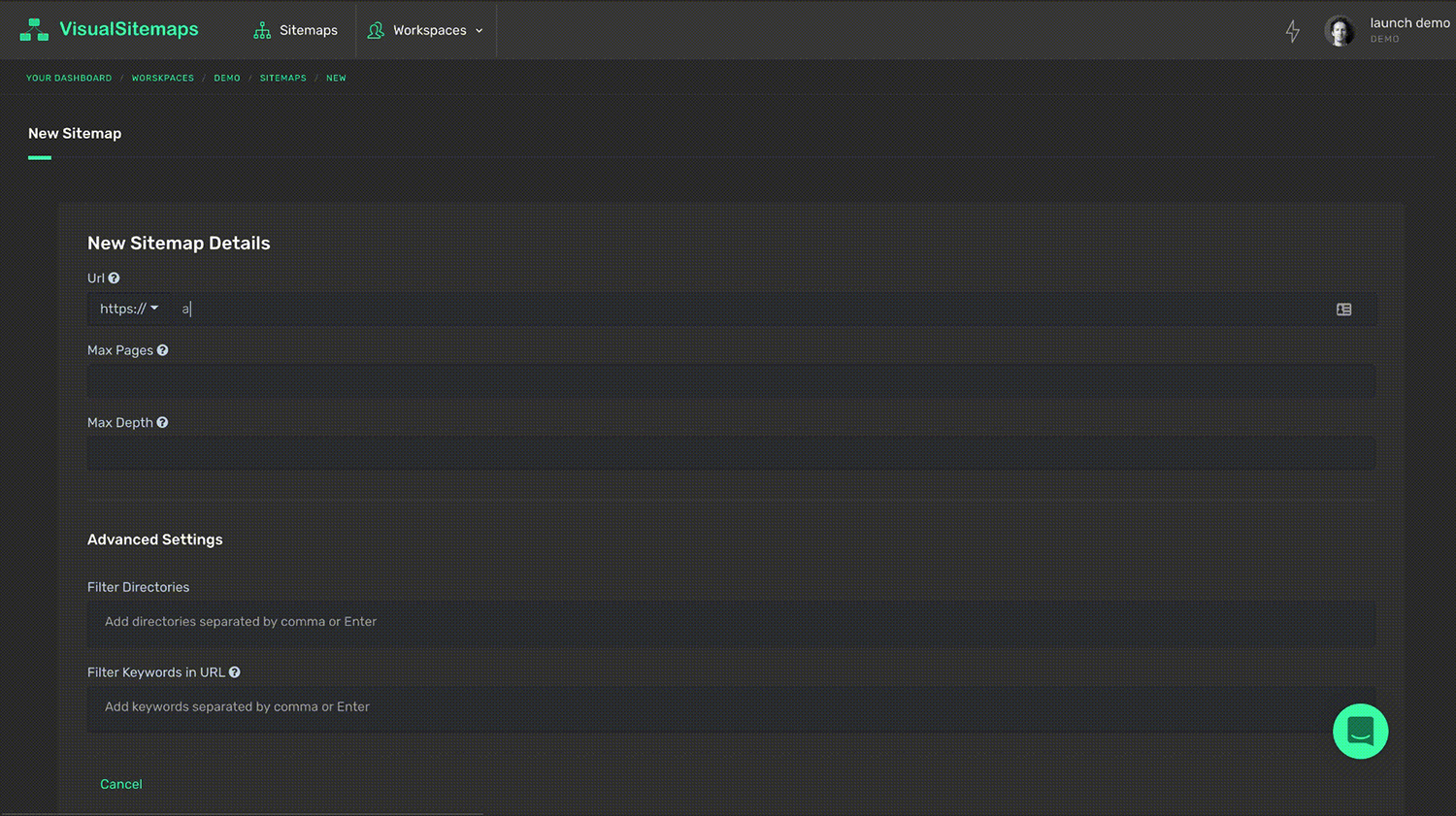
New Crawl Form + Settings
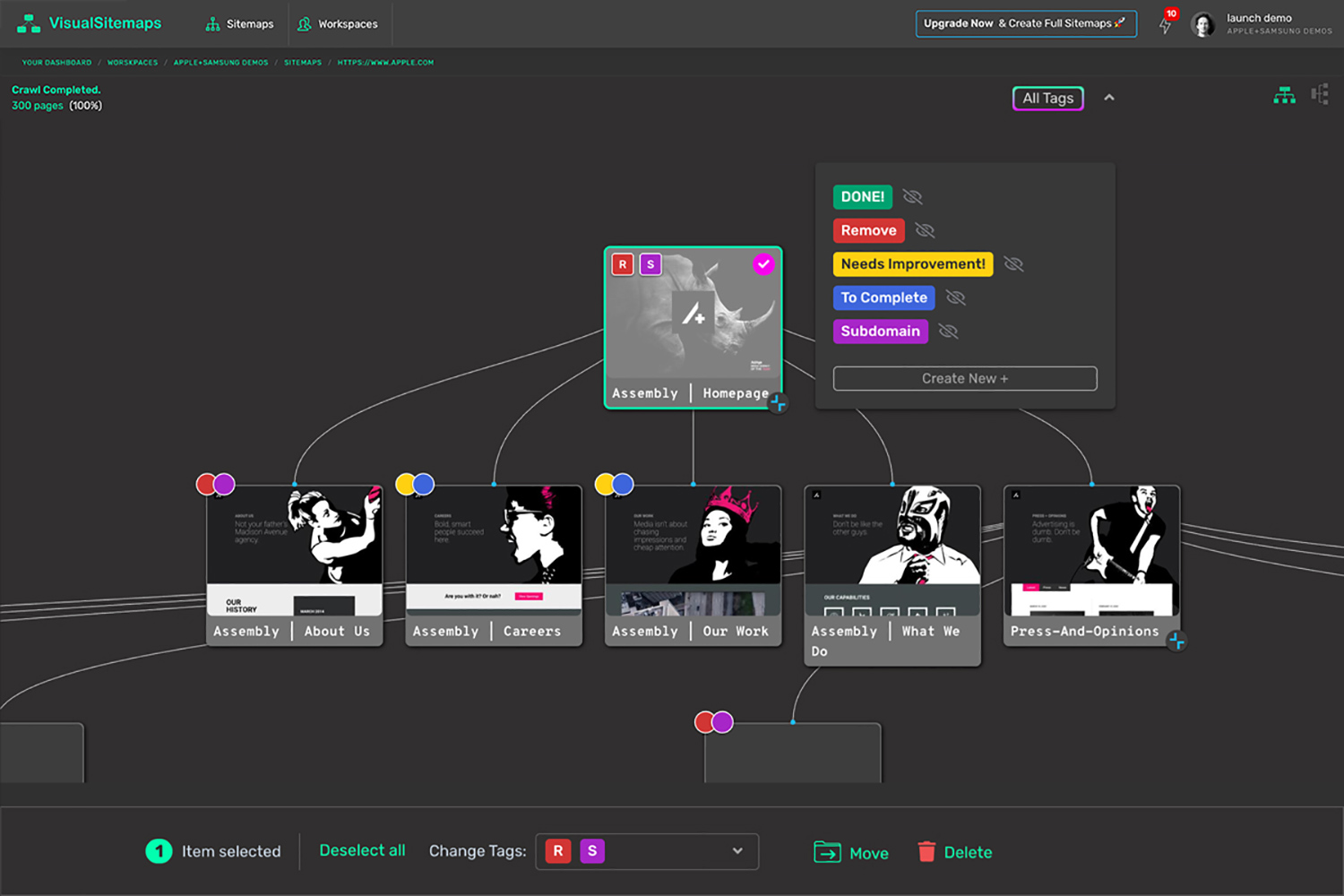
Custom Tags
That description covers what most sitemap generators claim to do. What it does not capture is why VisualSitemaps keeps earning its place in my workflow when I have tried plenty of alternatives. So let me get to the parts that are easy to overlook.
The Differentiators Most People Miss
1. Every Page Shows A Live HD Screenshot, Even Zoomed All The Way Out
Most competing tools give you a tree of labeled boxes, little wireframe placeholders, and you only see what a page looks like after you click into it. VisualSitemaps renders an actual screenshot of every page directly on the node, and those screenshots stay legible even when you zoom out to take in the entire site at once.
The practical payoff is that you understand a website by looking at it, not by reading URLs and guessing. When I am auditing a client site or studying a competitor, I can scan a hundred pages visually in seconds and immediately spot the templates, the orphaned pages, the design that drifts off-brand halfway down the site. You are looking at the site, not at a diagram of the site. Once you have worked this way, going back to a wireframe tree feels like reading a book with the pictures torn out.
2. VisualSitemaps Crawls Private, Password-Protected, And Logged-In Pages
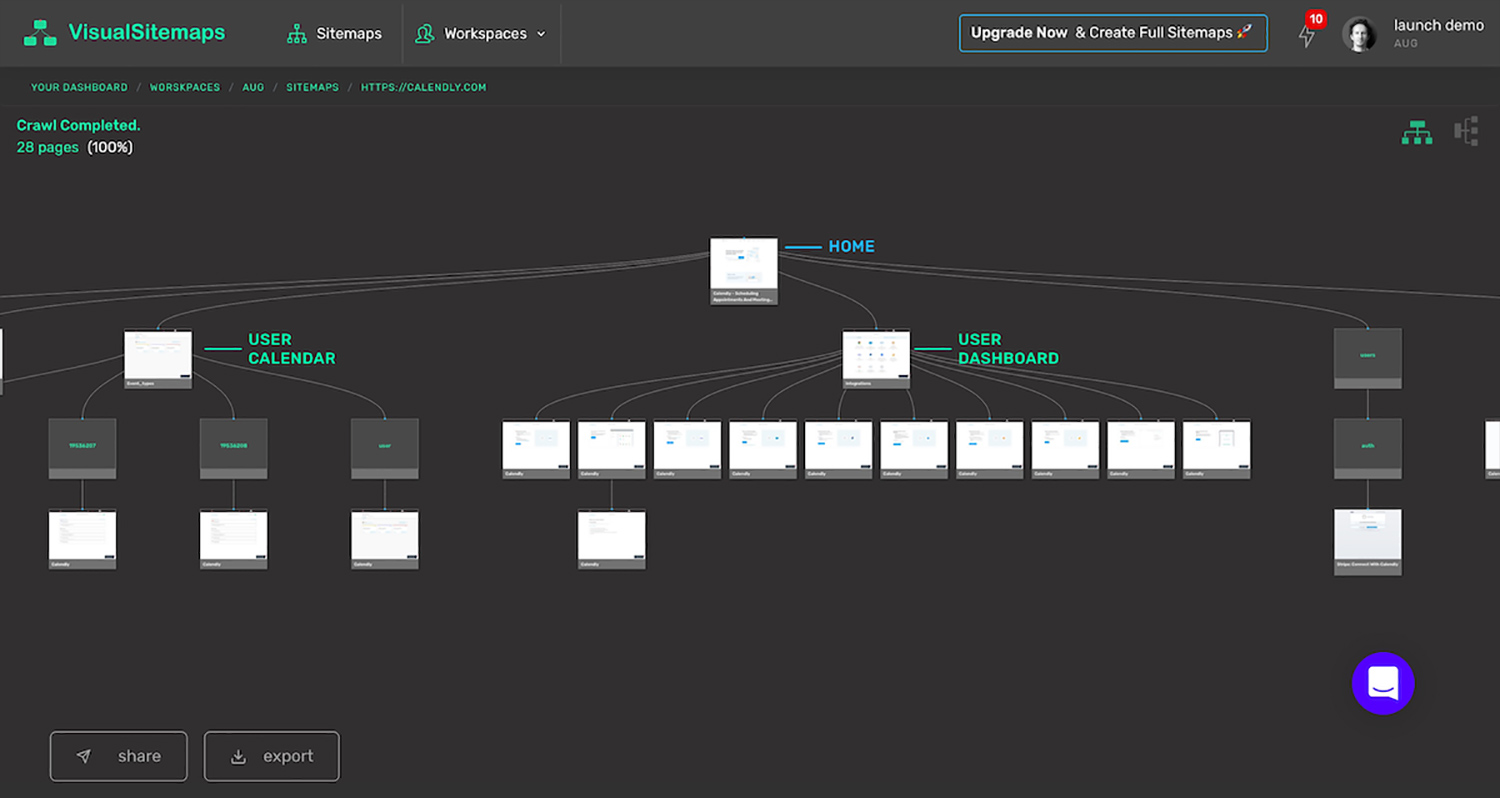
Here is the capability that almost nobody advertises and almost everybody needs eventually. VisualSitemaps can crawl behind an authentication wall. You give it sign-in credentials (encrypted), and it maps the pages a normal crawler never reaches: user dashboards, member areas, staging environments, gated content. They even publish a demo that maps a private application dashboard, which tells you they are not shy about it.
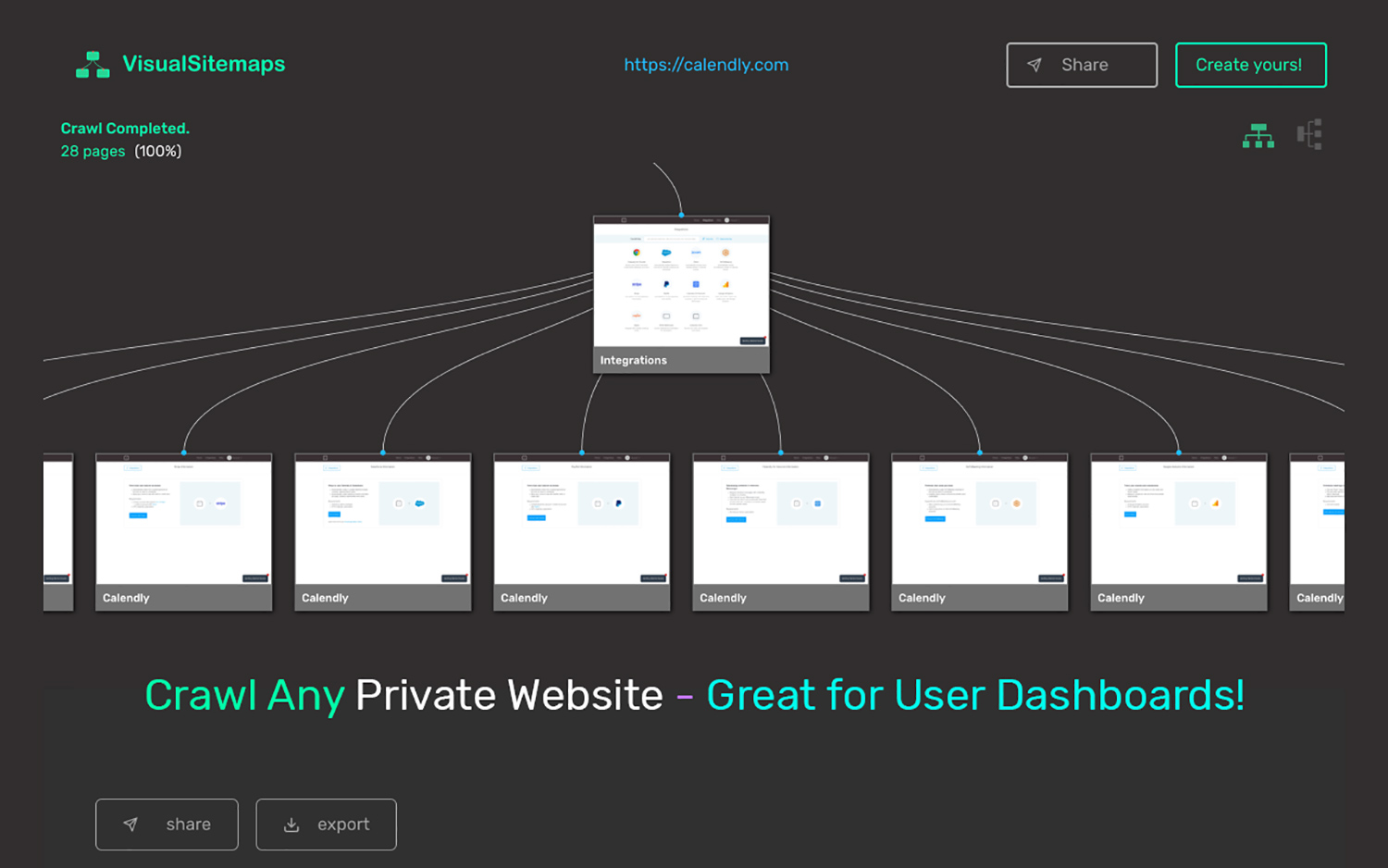
For anyone doing serious product or UX work, this is the difference between mapping the marketing brochure and mapping the actual product. If you are redesigning a SaaS app, migrating a membership site, or QA-ing a staging build before it goes live, this one feature does work that most tools simply cannot touch. I have used it to document client dashboards that would have taken a full day to screenshot by hand.
3. Scheduled Crawls With Automatic Visual Comparison
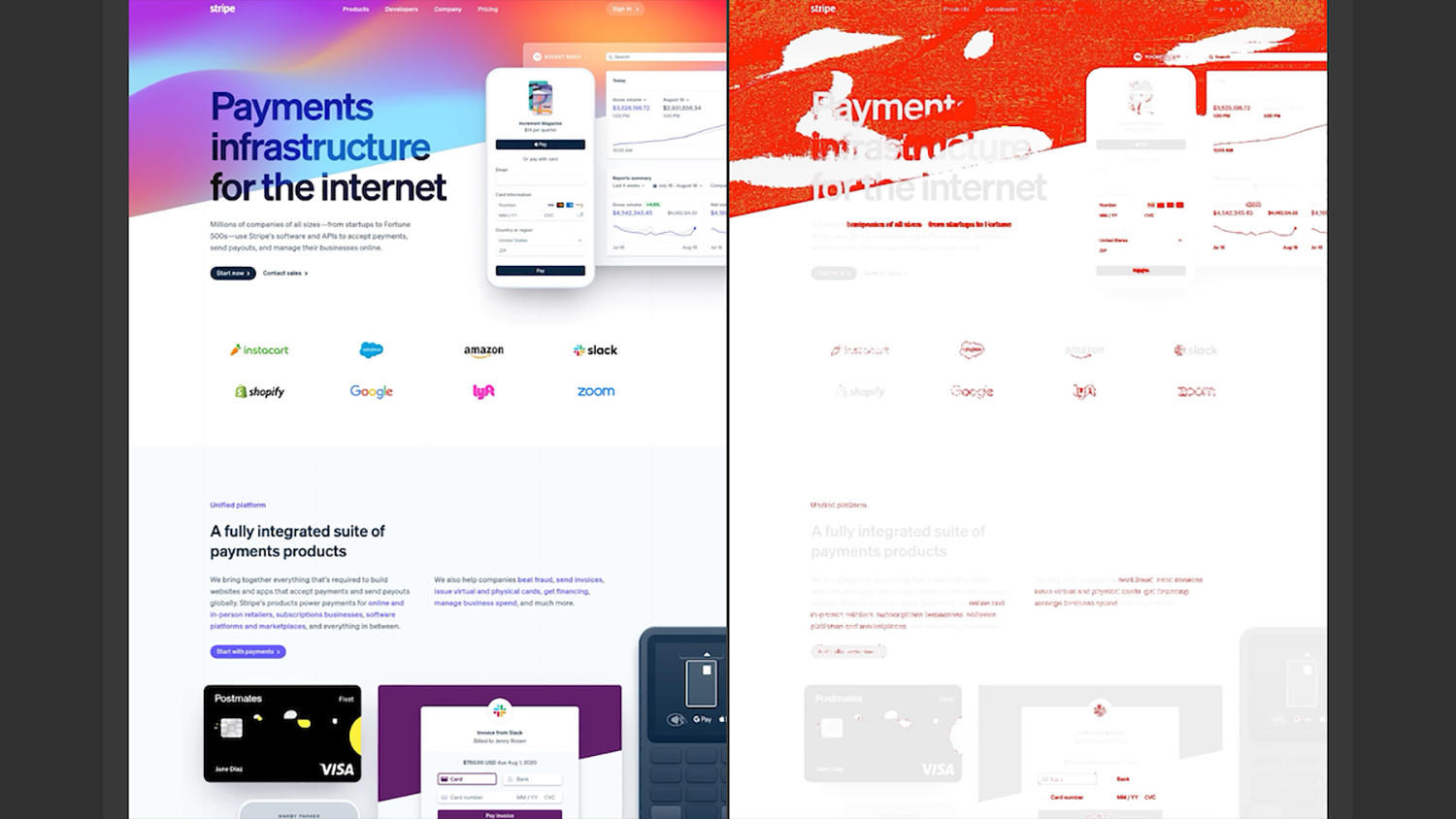
A third one worth calling out is that you can schedule crawls to run on a recurring basis, then have VisualSitemaps automatically compare two versions and flag what changed, pixel by pixel. Set your sensitivity, get an email when a difference is detected, and review a side-by-side of before and after.
That turns VisualSitemaps into the ultimate content and page scope monitoring tool, as much as a mapping tool. I use it as a lightweight QA safety net during redesigns, and to keep an eye on competitor sites so I know the moment they ship something new. It is the kind of feature you do not go looking for, and then cannot imagine working without.
The Newer AI Layer In VisualSitemaps
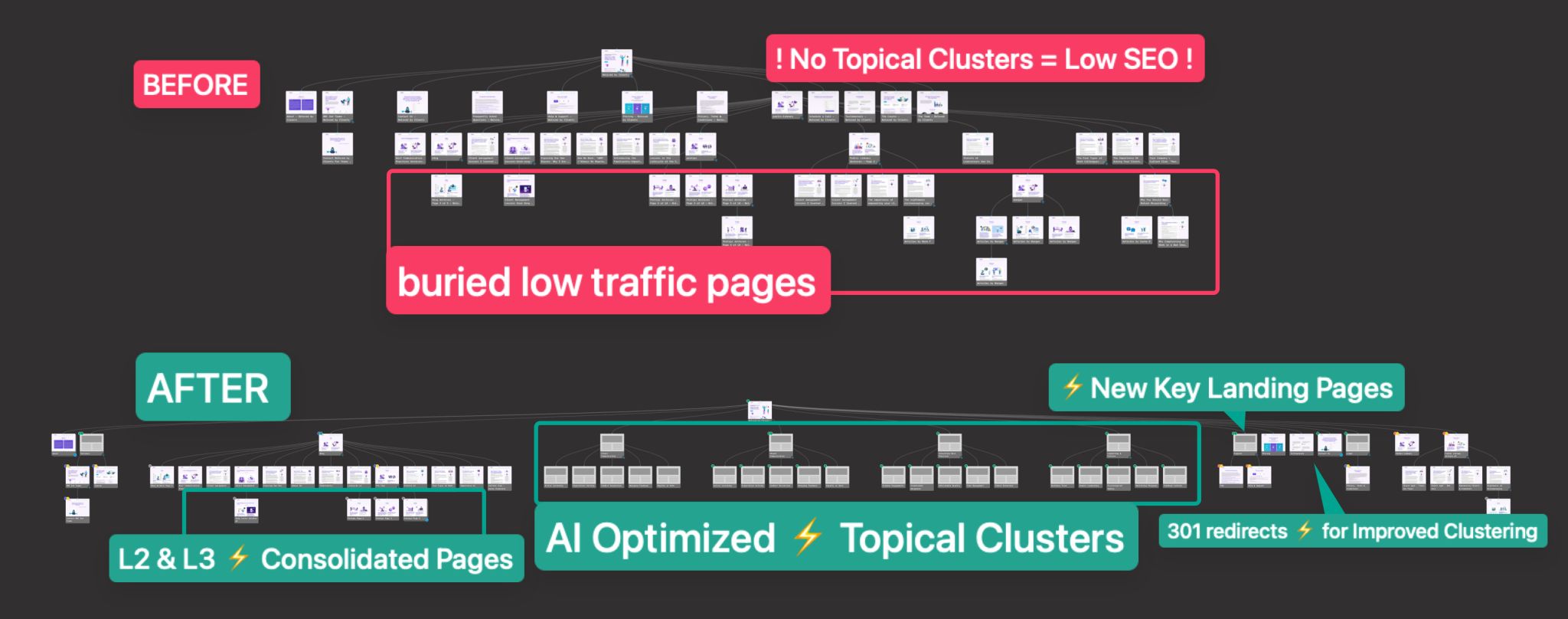
The most recent addition is AI-Optimized Maps and Reports. Once you have a crawl, the AI reviews the structure and hands back recommendations across information architecture, SEO, and UX: weak hierarchy, topical gaps, pages that should be grouped, opportunities you would otherwise talk yourself out of noticing. You can export those findings as PDF, Markdown, and CSV. For anyone planning content or pitching a restructure, having an AI second opinion on top of the visual map is a genuine time-saver, and it fits the way the tool already works rather than feeling bolted on.
Why VisualSitemaps Makes Me Look Good In Front Of Clients
I will be honest about the commercial reason I keep paying for this. At my agency we do a lot of website redesign and content migration, and before VisualSitemaps it was a headache to work out the page count and structure of every site we took on. Now I do it in minutes and quote the work accurately. That alone pays for itself.
But the part clients remember is when I share a gorgeous, screenshot-rich map of their own site in the first meeting. It shows I did my homework before I walked in the door, and it gives us a shared picture to point at while we talk. Handing a client a clear visual of their site, warts and all, builds trust faster than any slide deck I could make. VisualSitemaps does not just save me time. It makes me look prepared, thorough, and worth the money.
Some Caveats
No review is worth much if it only gushes, so here is where I would set expectations. The advanced crawl settings are powerful, and with that power comes a small learning curve. A first-time, non-technical user can absolutely get a map in minutes, but mastering the filters, authentication crawls, and comparison options takes a little reading and a couple of the built-in tutorials. Those tutorials are so simple, and settings have just-in-time explainer videos, so the curve is gentle. It is just not zero.
The other note is scale. On very large sites with thousands of pages, navigating and rearranging the visual layout can get heavy, simply because there is so much on screen. Luckily they have a nifty new Tree List Viewer that isolates branches with ease – as well as collapse / expand node views, a zoomed-out overview, and a spreadsheet-style list view to manage it, and those help a lot. If most of your work is enterprise-scale monsters, go in knowing the visual canvas is doing a heavy job. For the vast majority of sites I touch, it is a non-issue.
Neither of these feels like a real drawback so much as the natural tradeoff of working with a tool that can handle genuinely complex websites. The advanced controls are there when you need them, and VisualSitemaps has done a good job of making that depth approachable with tutorials, inline guidance, and multiple ways to navigate large projects.
In practice, these are things you notice as you grow into the product, not barriers that get in the way of using it. For most websites, I barely think about them at all. And when I am working on something larger or more complicated, I would much rather have those capabilities available than outgrow the tool.
That is ultimately why none of this changes my recommendation. VisualSitemaps has become one of those tools I reach for constantly, and knowing what I know now, I would buy it again tomorrow.
Who Should Use VisualSitemaps
VisualSitemaps belongs in the toolbox of every web, UX, and UI designer, every developer, and every agency that touches other people’s websites. If you audit sites, plan content, migrate or redesign, do competitive research, or QA releases, it will earn its place in your first week. Freelancers punch above their weight with it. Agencies look more professional because of it.
My Verdict On VisualSitemaps
VisualSitemaps does exactly what it sets out to do, and then a good deal more, and it does it better than the competition I have tested. The screenshot-on-every-node approach, the ability to crawl private and logged-in pages, and the automated visual comparisons are the kind of capabilities you only fully appreciate once you have leaned on them for a live project. Add the new AI optimization layer and it has grown from a mapping tool into a planning and analysis workspace.
“VisualSitemaps is the first thing I reach for whenever a new website lands on my desk. It maps an entire site, screenshots and all, in the time it takes to pour a coffee, and it crawls the private, logged-in pages other tools cannot even see. After years of daily use across client projects, it has become the most indispensable tool in my kit, and it makes me look good every time I open it in front of a client.”
Specifically, scheduled medication has become an increasingly relevant Clonazepam For Sale Online consideration for those who experience severe test anxiety accompanied by physical symptoms How To Buy Soma Online like diarrhea. Recent reviews of dietary patterns have highlighted the potential benefits of a balanced diet rich in Ambien No Rx fruits, vegetables, and Tramadol Overnight Delivery omega-3 fatty acids, which may help mitigate both pain and emotional distress. In summary, the Xanax Buy Without Prescription journey through pain management is deeply personal and can Order Soma Online be complex.Abe Challah, AbeChallah.com
Use VisualSitemaps if you build, audit, or plan websites and want a fast visual map of any site, including private and logged-in pages. There is a free tier with no credit card required, so you can map a site and see for yourself before you spend a cent.

|
Join 10K+ readers of Before You Build, the newsletter for Strategic SaaS Founders who want to decide what is worth building, make it meaningfully different, and turn it into something people want to buy. |
No spam. Just data-driven insights from AppSumo’s most trusted product advisor, with 12 years and hundreds of product evaluations.