Issue #001 | Before You Build
A Few Minutes Back
by Abe Challah |
Two tools that keep giving me time back, and the test I use when deciding whether an AI product deserves a place in my workflow.
I spend an unreasonable amount of time around software.
Buying it, testing it, breaking it, trying to figure out why one product stays in my workflow while another disappears after a week.
I keep a lot less of it than you might think.
A tool can be clever, polished, packed with features, and still disappear from my day pretty quickly. The ones I keep usually do something much simpler. They save me time every time I use them.
I noticed that recently with two tools I found months apart. Interestingly, they both came from the same founder.
Field Notes | A few useful finds
Amical & Prismical
The first is Amical, an open source dictation app I first wrote about back in March.
Dictation sounded like one of those things I would try, appreciate, and eventually forget about. Instead, I kept using it.
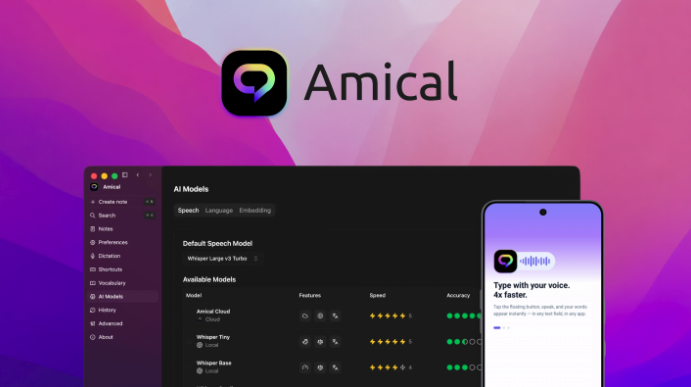
Amical lets me talk instead of type, can learn my custom vocabulary, and is context aware enough to know where I am writing. An email can be formatted like an email, a Slack message like a Slack message. It supports more than 100 languages and keyboard shortcuts too.
Those little things add up. I can get the thought out while it is still in my head without opening another AI chat, explaining what I am doing, moving text around, then fixing the formatting afterward.
I have been using it on my Mac and it has genuinely saved me a ton of time.
Then later I discovered Prismical.
This one goes after a completely different part of my day: meetings.
Prismical records directly from your system audio, so there is no note taking bot joining the call. It is local first too. You can run the transcription on your own machine with Whisper, and in my testing it gave me a live transcript with speaker labels, then turned the meeting into a summary with decisions and action items within seconds.
You can also use your own keys and local models, and there is an MCP server that lets tools like Claude or ChatGPT work with your notes.
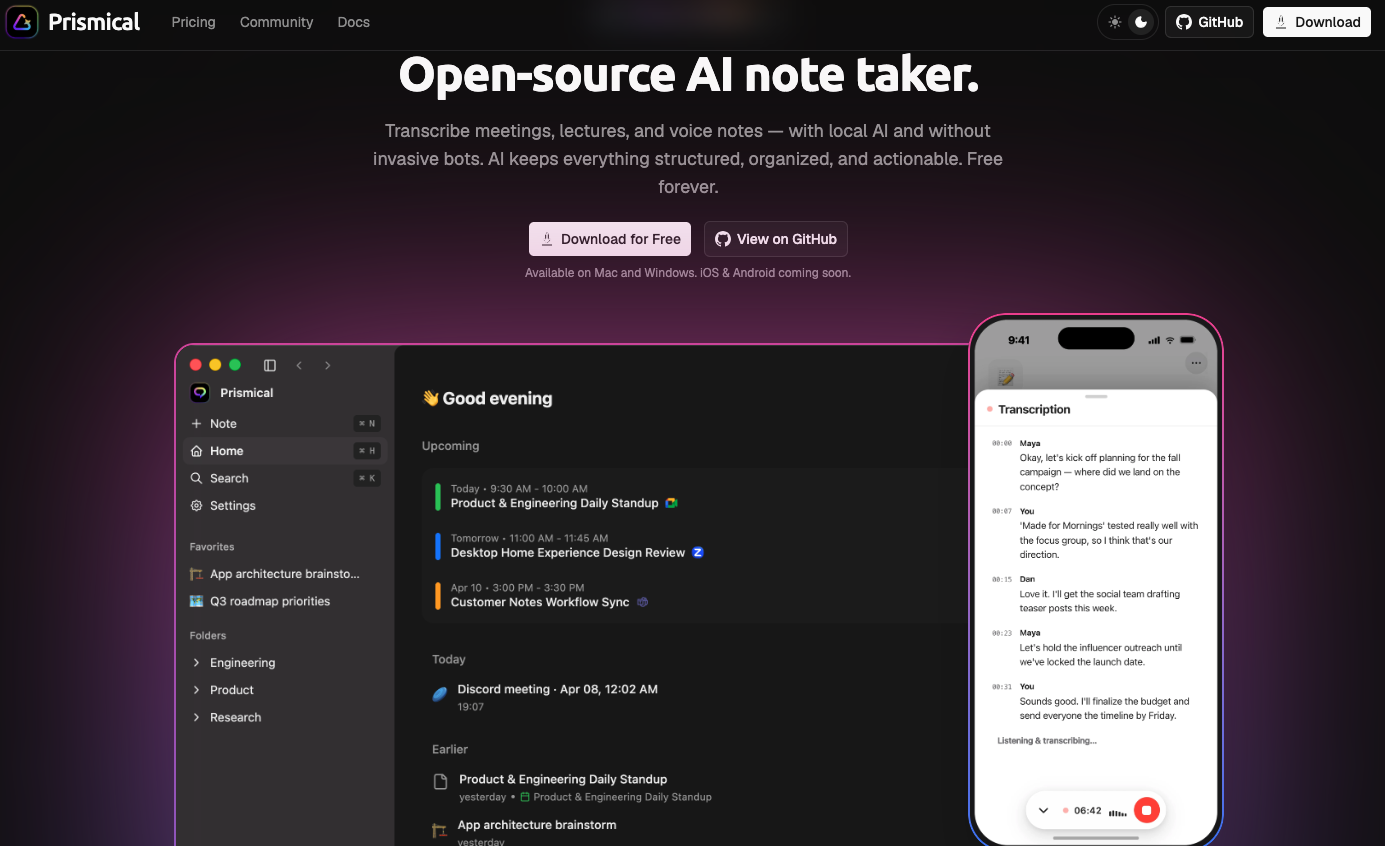
It still has a few rough edges. My first recording came back empty, the calendar connection only imports meetings, and some of the MCP integrations were erroring when I tested them.
I still use it.
When it works, the meeting ends and I already have the transcript, summary, decisions and action items sitting there. I do not have to reconstruct everything from a handful of notes afterward.
Again, time back.
Featured Article | Insider insights
Can Your AI SaaS Be Replaced by ChatGPT?
These two apps also explain why I keep coming back to the question in this article.
ChatGPT can transcribe audio. It can summarize a meeting. It can rewrite dictated text. Given enough context and a few prompts, it can do an extraordinary number of things.
But when I decide whether I want another piece of software in my life, I look at the whole process.
How much setup does it remove?
How much copying and switching does it eliminate?
Can I do the same thing repeatedly without rebuilding the process inside a chat every time?
And, ultimately, how much time does it give me back?

I recently updated Can Your AI SaaS Be Replaced by ChatGPT? because the baseline has changed so much.
ChatGPT has memory, projects, connected apps, scheduled tasks and increasingly capable ways to work across other software. A SaaS product has to earn its place beside all of that.
For me, one perfectly good reason is time.
A guided workflow can still be worth paying for. Convenience can still be worth paying for. A product that takes several repeated steps and compresses them into something I can use without thinking can still be worth paying for.
Plenty of thin AI wrappers still do not deserve another subscription. Looking only at whether ChatGPT can reproduce the final output gives me an incomplete buying test.
I keep seeing the same thing in the products I actually continue using.
The good time savers quietly remove work around the work.
Amical removes a lot of the typing and reformatting. Prismical removes the note taking and much of what I normally have to do after a meeting. Other good tools take a process that used to require several steps and compresses them into one workflow I can repeat.
If I were evaluating a new productivity tool, I’d ask a simple question: what work around the actual task does it eliminate? Saving 30 seconds of AI generation matters a lot less than removing five steps I have to repeat every day.
When that happens often enough, paying for the software can be cheaper than paying with my time.
I am paying closer attention to those tools now. They tend to be the ones that survive long after I have forgotten why I installed everything else.
More soon,
Abe
Whenever you’re ready, there are 2 ways I can help you:
- Professional Review: Get your app or website reviewed by me. Apply Now
- Work with me 1:1: After evaluating more than 1,000 SaaS products, I know what makes buyers pick one over another. I help you get those differentiators right and make a better mousetrap, the kind that sells. Apply Now

|
Join 10K+ readers of Before You Build, the newsletter for Strategic SaaS Founders who want to decide what is worth building, make it meaningfully different, and turn it into something people want to buy. |
No spam. Just practical lessons from evaluating hundreds of SaaS products and helping founders make better product decisions.